API Gateway vs Reverse Proxy vs Load Balancer: Choosing the Right Edge Layer
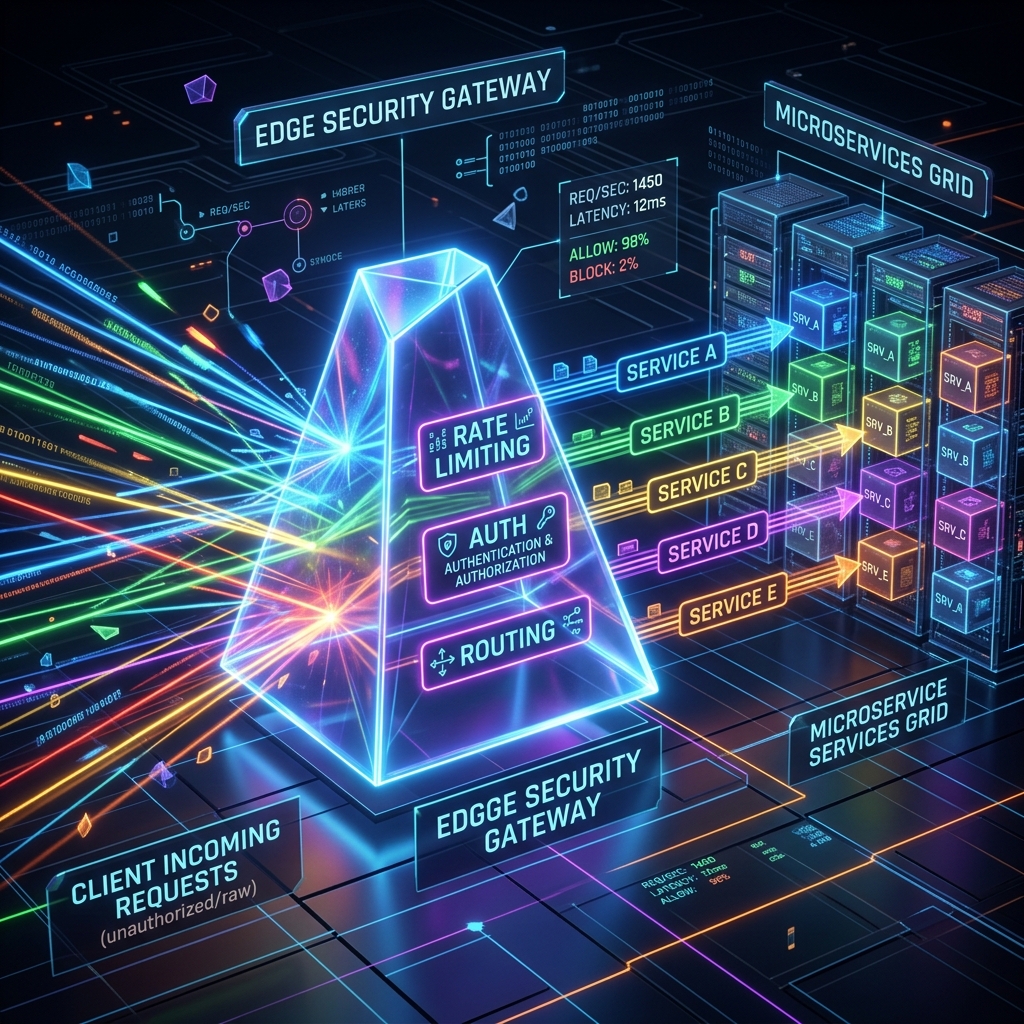
Edge infrastructure is the entry point to your system. Understanding the functional and physical boundary between L4 load balancers, L7 reverse proxies, and API gateways is critical for scalability, security, and operations.
Concept
Modern web architecture depends heavily on the edge layer to route traffic, enforce security boundaries, and optimize resource utilization. However, the terms "Load Balancer," "Reverse Proxy," and "API Gateway" are frequently conflated. To make informed architectural decisions, we must analyze them from first principles, specifically focusing on the layer of the Open Systems Interconnection (OSI) model at which they operate and the state they maintain.
Layer 4 (L4) Load Balancers: Transport-Level Routing
A Layer 4 load balancer operates at the transport layer of the OSI model, routing traffic based on packet headers without inspecting the application payload. It processes TCP and UDP streams. When a client initiates a connection, the L4 load balancer uses routing algorithms (such as Round Robin, Least Connections, or IP Hash) to select a backend target.
Client ───[ TCP Sync ]───> L4 Load Balancer ───[ Packet Rewrite (NAT/DSR) ]───> Backend Server
Key features of L4 routing include:
- No TCP Termination: In many configurations, such as Direct Server Return (DSR), the L4 load balancer does not terminate the TCP connection. It modifies the destination MAC address or IP address of the packets and forwards them. The backend server responds directly to the client.
- High Throughput: Because it does not parse application protocols (like HTTP or TLS), CPU overhead per packet is minimal. A single L4 appliance can handle millions of concurrent connections.
- Protocol Agnostic: Since it only looks at IP addresses and ports, it can load-balance any TCP/UDP protocol (SMTP, database connections, custom sockets, gRPC, etc.).
Layer 7 (L7) Reverse Proxies: Application-Level Intermediaries
A Layer 7 proxy terminates the incoming TCP connection, decrypts the TLS layer, parses the application protocol (typically HTTP/1.x, HTTP/2, HTTP/3, or gRPC), and makes routing decisions based on the application state. It then opens a new TCP connection (or reuse an idle connection from a pool) to the backend server.
Client ──[ TCP Conn 1 (TLS) ]──> L7 Proxy (Terminates & Decrypts) ──[ TCP Conn 2 ]──> Backend Server
Key features of L7 routing include:
- Deep Packet Inspection: Routing can be based on HTTP paths (
/api/v1/users), headers (User-Agent,Authorization), cookies, or query parameters. - Connection Multiplexing: L7 proxies act as buffers. They can keep a pool of persistent TCP connections open to backend servers, multiplexing thousands of slow client connections over a few fast backend connections. This shields backend servers from resource exhaustion due to connection handling.
- Caching and Compression: Since the proxy understands HTTP, it can cache static assets and compress responses (Gzip/Brotli) before sending them back to clients.
API Gateways: Domain-Specific Application Controllers
An API Gateway is a specialized Layer 7 reverse proxy tailored specifically for APIs. While a general-purpose reverse proxy (like Nginx or HAProxy) focuses on high-performance routing and static asset serving, an API Gateway focuses on security, developer experience, and backend abstraction.
It acts as a single entry point for client applications, orchestrating requests, translating protocols, and serving as the primary policy enforcement point (PEP) for cross-cutting concerns.
Client ──> API Gateway (Auth, Rate Limit, Transform) ──> Internal Microservices (REST/gRPC)
Constraints
When designing the edge layer, architects face physical and operational constraints that determine where specific responsibilities should lie.
1. Connection Limits and File Descriptors
Every terminated TCP connection requires a file descriptor on the proxy server. Linux operating systems limit file descriptors per process and globally. An L7 proxy terminating 500,000 active client connections must maintain 500,000 client sockets plus the corresponding backend sockets. This consumes memory (typically 4KB to 16KB per socket buffer) and requires careful tuning of /etc/security/limits.conf and sysctl parameters (e.g., fs.file-max, net.ipv4.ip_local_port_range).
An L4 load balancer operating in DSR mode bypasses this constraint entirely because it does not hold socket state for the duration of the connection.
2. Encryption and Decryption Overhead
TLS handshakes are CPU-intensive, involving asymmetric cryptography (RSA, ECDHE). Terminating TLS at the edge requires significant cryptographic capacity.
- Architectural Mitigation: Offload TLS termination to a dedicated L7 reverse proxy layer (or cloud load balancer) to ensure the API Gateway's CPU cycles are reserved for orchestration, policy enforcement, and payload transformation.
3. The Backend-for-Frontend (BFF) Pattern Constraint
In microservices architectures, mobile apps, web apps, and third-party integrations require different API layouts. A mobile app needs consolidated payloads to minimize mobile radio usage, whereas a web application can handle granular endpoints.
- Constraint: Relying on a single API Gateway for all client types leads to a bloated, shared gateway configuration that couples development teams. The BFF pattern solves this by introducing dedicated, lightweight API gateways for each client class.
Trade-offs
Choosing where to place cross-cutting concerns involves trade-offs between performance, security, and developer coupling.
| Feature | L4 Load Balancer | L7 Reverse Proxy | API Gateway |
|---|---|---|---|
| Primary Focus | High-availability packet routing | HTTP routing, caching, TLS offload | API lifecycle, authentication, orchestration |
| Latency Cost | Sub-millisecond (minimal) | Low (1-5ms for parsing) | Medium (5-50ms for policy evaluation) |
| OSI Layer | Layer 4 (Transport) | Layer 7 (Application) | Layer 7 (Application) |
| Scale Mechanism | Scale-up (hardware) / Anycast | Scale-out (stateless clusters) | Scale-out + distributed cache dependency |
1. Authentication: Gateway vs. Service Mesh
- Option A: Edge Authentication: The API Gateway validates JWTs, OAuth2 tokens, or API keys. Backend services assume all incoming requests are authenticated and rely on network isolation (or lightweight internal tokens) for security.
- Trade-off: Simplifies backend services but creates a single point of failure at the gateway. A compromised gateway exposes the entire backend.
- Option B: Distributed Authentication: The Gateway forwards credentials, and each microservice validates them.
- Trade-off: Higher security (Zero Trust) but introduces duplicate configuration, increases CPU utilization across all nodes, and complicates token rotation.
2. Rate Limiting: Distributed vs. Local
- Local Rate Limiting: The proxy tracks requests per client IP on its local memory space.
- Trade-off: Extremely fast with near-zero latency overhead. However, it is inaccurate if clients are routed across a pool of 10 proxy instances, allowing clients to exceed their limit by a factor of 10.
- Distributed Rate Limiting: The gateway queries a central cache (like Redis) to increment and check client request counters.
- Trade-off: Accurate across the entire cluster. However, it adds network hops (1-2ms per request to Redis) and introduces a runtime dependency on the cache. If Redis fails, the gateway must fail-open (security risk) or fail-closed (denial of service).
Code
To demonstrate how to implement L7 routing and cross-cutting gateway concerns in .NET, let's explore two patterns: a custom YARP (Yet Another Reverse Proxy) configuration with rate-limiting middleware, and a custom Backend-for-Frontend (BFF) aggregator.
1. Programmatic L7 Routing and Rate Limiting with YARP
The following example configures YARP to route requests dynamically and applies a distributed rate-limiting policy using a sliding window.
using Microsoft.AspNetCore.Builder;
using Microsoft.AspNetCore.Http;
using Microsoft.Extensions.DependencyInjection;
using Microsoft.Extensions.Hosting;
using Yarp.ReverseProxy.Configuration;
using System.Threading.RateLimiting;
using System;

namespace Mpc.Edge.Gateway
{
    public class Program
    {
        public static void Main(string[] args)
        {
            var builder = WebApplication.CreateBuilder(args);

            // Configure YARP routes and clusters programmatically
            var routes = new[]
            {
                new RouteConfig
                {
                    RouteId = "user-service-route",
                    ClusterId = "user-service-cluster",
                    Match = new RouteMatch { Path = "/api/v1/users/{**catch-all}" },
                    RateLimiterPolicy = "StrictClientPolicy"
                },
                new RouteConfig
                {
                    RouteId = "order-service-route",
                    ClusterId = "order-service-cluster",
                    Match = new RouteMatch { Path = "/api/v1/orders/{**catch-all}" }
                }
            };

            var clusters = new[]
            {
                new ClusterConfig
                {
                    ClusterId = "user-service-cluster",
                    Destinations = new Dictionary<string, DestinationConfig>
                    {
                        { "node1", new DestinationConfig { Address = "http://10.0.1.10:8080" } },
                        { "node2", new DestinationConfig { Address = "http://10.0.1.11:8080" } }
                    }
                },
                new ClusterConfig
                {
                    ClusterId = "order-service-cluster",
                    Destinations = new Dictionary<string, DestinationConfig>
                    {
                        { "node1", new DestinationConfig { Address = "http://10.0.2.10:8080" } }
                    }
                }
            };

            builder.Services.AddReverseProxy()
                .LoadFromMemory(routes, clusters);

            // Add sliding window rate limiting
            builder.Services.AddRateLimiter(options =>
            {
                options.RejectionStatusCode = StatusCodes.Status429TooManyRequests;
                options.AddPolicy("StrictClientPolicy", context =>
                {
                    var clientIp = context.Connection.RemoteIpAddress?.ToString() ?? "anonymous";
                    return RateLimitPartition.GetSlidingWindowLimiter(
                        partitionKey: clientIp,
                        factory: partition => new SlidingWindowRateLimiterOptions
                        {
                            PermitLimit = 100,
                            Window = TimeSpan.FromMinutes(1),
                            SegmentsPerWindow = 6,
                            QueueLimit = 0
                        });
                });
            });

            var app = builder.Build();

            app.UseRouting();
            app.UseRateLimiter();

            app.UseEndpoints(endpoints =>
            {
                endpoints.MapReverseProxy();
            });

            app.Run();
        }
    }
}
2. Backend-for-Frontend (BFF) Request Aggregator
This C# class demonstrates the BFF orchestration pattern, consolidating calls to multiple backend services into a single response payload to save client bandwidth and round trips.
using System.Net.Http;
using System.Text.Json;
using System.Threading.Tasks;
using Microsoft.AspNetCore.Http;

namespace Mpc.Edge.Gateway.Bff
{
    public class DashboardSummaryAggregator
    {
        private readonly IHttpClientFactory _httpClientFactory;

        public DashboardSummaryAggregator(IHttpClientFactory httpClientFactory)
        {
            _httpClientFactory = httpClientFactory;
        }

        public async Task<DashboardSummary> GetDashboardSummaryAsync(string userId)
        {
            var client = _httpClientFactory.CreateClient("InternalServicesClient");

            // Execute backend requests in parallel to minimize latency
            var profileTask = client.GetStringAsync($"/api/internal/users/{userId}/profile");
            var ordersTask = client.GetStringAsync($"/api/internal/orders?userId={userId}&limit=5");
            var alertsTask = client.GetStringAsync($"/api/internal/alerts?userId={userId}");

            await Task.WhenAll(profileTask, ordersTask, alertsTask);

            var profile = JsonSerializer.Deserialize<UserProfile>(await profileTask);
            var recentOrders = JsonSerializer.Deserialize<List<Order>>(await ordersTask);
            var activeAlerts = JsonSerializer.Deserialize<List<Alert>>(await alertsTask);

            return new DashboardSummary
            {
                UserId = userId,
                DisplayName = profile?.DisplayName ?? "User",
                Tier = profile?.AccountTier ?? "Free",
                RecentOrders = recentOrders ?? new List<Order>(),
                Alerts = activeAlerts ?? new List<Alert>(),
                AggregatedAtUtc = System.DateTime.UtcNow
            };
        }
    }

    public class DashboardSummary
    {
        public string UserId { get; set; }
        public string DisplayName { get; set; }
        public string Tier { get; set; }
        public List<Order> RecentOrders { get; set; }
        public List<Alert> Alerts { get; set; }
        public System.DateTime AggregatedAtUtc { get; set; }
    }

    public class UserProfile { public string DisplayName { get; set; } public string AccountTier { get; set; } }
    public class Order { public string Id { get; set; } public decimal Amount { get; set; } }
    public class Alert { public string Severity { get; set; } public string Message { get; set; } }
}
Further Reading
For a deeper understanding of network layers, routing protocols, and how to scale distributed gateways, explore the following resources:
- Module 4 – Networking Fundamentals - Delve into socket programming, TCP handshake lifecycle, and packet delivery.
- Module 11 – Saga Pattern - Learn how edge layers route and orchestrate sagas across distributed boundaries.
- Module 15 – Brownfield Modernisation - Review the role of reverse proxies as routing facades for Strangler Fig migrations.