Rate Limiting Algorithms: Token Bucket, Leaky Bucket, and Sliding Windows Compared
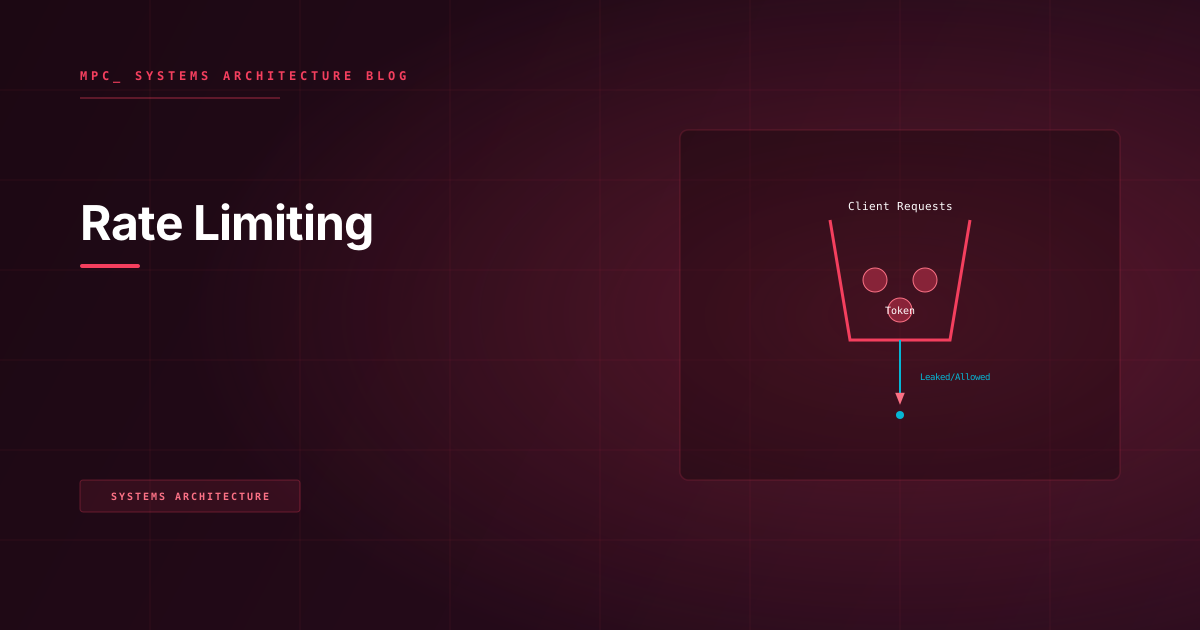
Rate limiting is a contract between your API and its callers — one that must be enforced consistently across a distributed fleet. The algorithm you choose determines how burst traffic is absorbed, how fairness is enforced, and how expensive the enforcement is under concurrency.
Rate limiting is deceptively easy to implement for a single instance and surprisingly difficult to implement correctly across a distributed fleet. The naive version — an in-memory counter per API key — gives you a number that is both locally consistent and globally meaningless, because the counter is not shared across instances. A client that sends 1,000 requests per second distributed across 10 API instances may never trigger a limit of 200 req/sec per instance while far exceeding your intended 200 req/sec global limit.
Before choosing an algorithm, you need to clarify which limit you're actually enforcing: per-instance throughput protection (protecting each server from being overwhelmed), per-client global fairness (ensuring no single API key consumes a disproportionate share across the fleet), or both. The answers lead to different algorithms and different infrastructure requirements.
Concept
Token Bucket
The token bucket algorithm maintains a virtual bucket of tokens per client. The bucket has a maximum capacity — the burst limit. Tokens are added to the bucket at a fixed refill rate. Each request consumes one token. If the bucket is empty, the request is rejected.
The critical property is burst absorption. A client that has been idle for 30 seconds with a refill rate of 10 tokens/second and a bucket capacity of 100 will have accumulated 100 tokens (capped at capacity). They can immediately fire 100 requests, and the algorithm will allow them. After the burst, the client is throttled to 10 req/sec.
This models real-world traffic patterns well. Clients often send bursts of requests during peak activity windows with idle periods in between. Token bucket rewards clients for not hitting the limit continuously; they accumulate burst capacity during low-usage periods.
The mathematical description: let C be bucket capacity, r be the refill rate (tokens/sec), and t be the elapsed time since the last request. The number of tokens available at request time is min(C, tokens_at_last_request + r × t).
Leaky Bucket
The leaky bucket algorithm queues incoming requests in a fixed-capacity bucket and processes them at a fixed rate — the "leak" rate. Requests that arrive when the bucket is full are dropped. The output stream is smooth regardless of input burst.
The key difference from token bucket: leaky bucket smooths traffic rather than absorbing bursts. A burst of 100 requests into a leaky bucket with a 10 req/sec leak rate will be queued (if there is capacity) and serviced over 10 seconds at an even rate. This is appropriate for rate limiting outputs to downstream systems that cannot handle bursty load — for example, rate limiting API calls to a third-party service that itself has strict per-second limits.
Leaky bucket is less appropriate for frontend APIs, where clients expect either a quick response or a quick rejection. Queuing requests within the rate limiter introduces latency that may be indistinguishable from server degradation.
Fixed Window Counter
The simplest algorithm: divide time into fixed windows (e.g., 1-second buckets). Maintain a counter per client per window. Increment on each request. Reject when the counter exceeds the limit.
The failure mode is the boundary burst: a client sends L requests at 00:59.900 and another L requests at 01:00.100, staying within the limit for each window but generating 2L requests in a 200-millisecond actual window. If L = 1,000 req/min, this is 2,000 requests in 200ms — 10× the intended rate for that instant.
Sliding Window Log
Maintain a timestamped log of all requests for each client. On each incoming request, count the entries in the log that fall within the sliding window (e.g., the last 60 seconds). Reject if the count exceeds the limit.
This eliminates the boundary burst problem with mathematical precision. The cost is storage and computation: the log grows with the number of requests in the window, and the count query on each request is O(n) in the window size if done naively, or O(log n) with a sorted set.
Sliding Window Counter (Hybrid)
A practical compromise: maintain counters for the current window and the previous window. Estimate the request count for the sliding window as:
count = current_window_count + (previous_window_count × fraction_of_previous_window_elapsed)
For example, if the window is 60 seconds and you are 15 seconds into the current window, the previous window contributes previous_count × (45/60). This is an approximation but eliminates the boundary burst problem in practice, requires O(1) storage per client, and is the algorithm used by Nginx's ngx_http_limit_req_module and Redis's recommended rate limiting implementation.
Constraints
Distributed counter synchronization: All algorithms require a shared counter across instances to enforce global limits. This means every request generates at least one round-trip to a shared store (Redis, Memcached). At 50,000 req/sec, this is 50,000 Redis writes per second plus the reads. Redis is fast enough (sub-millisecond for simple GET/SET), but the latency of the round-trip is added to every request's critical path. Rate limiter latency must be measured and alarmed independently.
Clock skew in distributed systems: Token bucket and sliding window algorithms depend on accurate timestamps. In a distributed fleet, servers have clock skew of typically ±5ms. For very tight rate limits (e.g., 10 req/sec), a 5ms clock skew can shift a request from one window to another, causing minor inaccuracy at the window boundary. For most production cases this is acceptable.
Redis atomicity: A naive read-increment-write sequence is not atomic and suffers race conditions under concurrency. Two simultaneous requests could both read count=99, both determine they are within the limit=100, both increment to 100, and both be allowed — resulting in 101 allowed requests. All rate limiting operations must use atomic Redis primitives: Lua scripts (single-node atomic), or Redis transactions with WATCH (optimistic locking, with retry on conflict).
Client identification: Rate limiting is only as good as your client identification strategy. API key authentication is straightforward. IP-based identification is unreliable behind NAT or shared proxies. Rate limiting by JWT subject claim is effective for authenticated APIs.
Trade-offs
| Algorithm | Burst Tolerance | Accuracy | Storage Cost | Compute Cost | Best For |
|---|---|---|---|---|---|
| Token Bucket | High (configurable burst cap) | Good | O(1) per client | O(1) | APIs with bursty legitimate clients |
| Leaky Bucket | None (queues or drops) | Excellent (smooth) | O(queue depth) | O(1) | Outbound throttling to downstream APIs |
| Fixed Window | Medium (boundary exploit) | Poor at boundaries | O(1) per client | O(1) | Internal services where boundary risk is low |
| Sliding Window Log | High | Perfect | O(requests in window) | O(log n) | High-accuracy low-volume API limits |
| Sliding Window Counter | Medium | Good (approximate) | O(1) per client | O(1) | Public APIs: accuracy vs. cost balance |
For public APIs at scale, the sliding window counter is the typical choice: it is Redis-efficient (two key reads and two increments per request), eliminates the boundary burst problem in practice, and produces predictable behavior that can be documented in your API contract.
Code
Token Bucket Rate Limiter with Redis Lua Script
The following implementation uses an atomic Lua script that evaluates the token count, refills based on elapsed time, and either allows or rejects — all in a single Redis round-trip.
public sealed class TokenBucketRateLimiter : IRateLimiter
{
    private readonly IDatabase _redisDb;
    private readonly RateLimitPolicy _policy;

    // Lua script executed atomically in Redis — no race conditions
    private const string TokenBucketLuaScript = @"
        local key = KEYS[1]
        local capacity = tonumber(ARGV[1])
        local refillRate = tonumber(ARGV[2])   -- tokens per second
        local now = tonumber(ARGV[3])           -- current Unix timestamp (ms precision)
        local requested = tonumber(ARGV[4])     -- tokens requested (usually 1)

        local state = redis.call('HMGET', key, 'tokens', 'last_refill')
        local tokens = tonumber(state[1]) or capacity
        local lastRefill = tonumber(state[2]) or now

        -- Refill: elapsed seconds × refillRate, capped at capacity
        local elapsedSeconds = (now - lastRefill) / 1000.0
        tokens = math.min(capacity, tokens + elapsedSeconds * refillRate)

        if tokens >= requested then
            tokens = tokens - requested
            redis.call('HMSET', key, 'tokens', tokens, 'last_refill', now)
            redis.call('EXPIRE', key, 86400)    -- 24h TTL: auto-cleanup idle clients
            return 1  -- allowed
        else
            redis.call('HMSET', key, 'tokens', tokens, 'last_refill', now)
            redis.call('EXPIRE', key, 86400)
            return 0  -- rejected
        end
    ";

    public TokenBucketRateLimiter(IDatabase redisDb, RateLimitPolicy policy)
    {
        _redisDb = redisDb;
        _policy = policy;
    }

    public async Task<RateLimitResult> CheckAsync(
        string clientId, CancellationToken cancellationToken)
    {
        var key = $"rl:tokenbucket:{clientId}";
        var nowMs = DateTimeOffset.UtcNow.ToUnixTimeMilliseconds();

        var result = (int)await _redisDb.ScriptEvaluateAsync(
            TokenBucketLuaScript,
            keys: new RedisKey[] { key },
            values: new RedisValue[]
            {
                _policy.BurstCapacity,    // ARGV[1]: max tokens
                _policy.RefillRate,       // ARGV[2]: tokens/sec
                nowMs,                    // ARGV[3]: now in ms
                1                         // ARGV[4]: consume 1 token
            });

        return result == 1
            ? RateLimitResult.Allowed()
            : RateLimitResult.Rejected(retryAfterSeconds: 1.0 / _policy.RefillRate);
    }
}
Sliding Window Counter Rate Limiter in Redis
public sealed class SlidingWindowCounterRateLimiter : IRateLimiter
{
    private readonly IDatabase _redisDb;
    private readonly SlidingWindowPolicy _policy;

    private const string SlidingWindowLuaScript = @"
        local currentKey = KEYS[1]
        local previousKey = KEYS[2]
        local limit = tonumber(ARGV[1])
        local windowMs = tonumber(ARGV[2])
        local now = tonumber(ARGV[3])

        -- Position within the current window (0.0 to 1.0)
        local windowStart = now - (now % windowMs)
        local fractionElapsed = (now - windowStart) / windowMs
        local previousWeight = 1.0 - fractionElapsed

        local currentCount = tonumber(redis.call('GET', currentKey) or 0)
        local previousCount = tonumber(redis.call('GET', previousKey) or 0)

        local estimatedCount = currentCount + (previousCount * previousWeight)

        if estimatedCount < limit then
            local newCount = redis.call('INCR', currentKey)
            if newCount == 1 then
                redis.call('PEXPIRE', currentKey, windowMs * 2)
            end
            return {1, math.floor(estimatedCount)}  -- {allowed, current_estimate}
        else
            return {0, math.floor(estimatedCount)}  -- {rejected, current_estimate}
        end
    ";

    public SlidingWindowCounterRateLimiter(IDatabase redisDb, SlidingWindowPolicy policy)
    {
        _redisDb = redisDb;
        _policy = policy;
    }

    public async Task<RateLimitResult> CheckAsync(string clientId, CancellationToken ct)
    {
        var nowMs = DateTimeOffset.UtcNow.ToUnixTimeMilliseconds();
        var windowMs = (long)_policy.Window.TotalMilliseconds;
        var windowStart = nowMs - (nowMs % windowMs);
        var previousWindowStart = windowStart - windowMs;

        var currentKey  = $"rl:sw:{clientId}:{windowStart}";
        var previousKey = $"rl:sw:{clientId}:{previousWindowStart}";

        var scriptResult = (RedisResult[])await _redisDb.ScriptEvaluateAsync(
            SlidingWindowLuaScript,
            keys: new RedisKey[] { currentKey, previousKey },
            values: new RedisValue[] { _policy.Limit, windowMs, nowMs });

        bool allowed = (int)scriptResult[0] == 1;
        long currentEstimate = (long)scriptResult[1];

        return allowed
            ? RateLimitResult.Allowed(remaining: _policy.Limit - currentEstimate - 1)
            : RateLimitResult.Rejected(
                retryAfterSeconds: (windowMs - (nowMs % windowMs)) / 1000.0);
    }
}
// ASP.NET Core middleware that applies the rate limiter and sets standard response headers
public sealed class RateLimitMiddleware
{
    private readonly RequestDelegate _next;
    private readonly IRateLimiter _rateLimiter;

    public RateLimitMiddleware(RequestDelegate next, IRateLimiter rateLimiter)
    {
        _next = next;
        _rateLimiter = rateLimiter;
    }

    public async Task InvokeAsync(HttpContext context)
    {
        // Prefer API key identification over IP; fall back to IP for unauthenticated requests
        var clientId = context.Request.Headers["X-Api-Key"].FirstOrDefault()
            ?? context.Connection.RemoteIpAddress?.ToString()
            ?? "anonymous";

        var result = await _rateLimiter.CheckAsync(clientId, context.RequestAborted);

        // RFC 6585 compliant headers
        context.Response.Headers["X-RateLimit-Limit"] = result.Limit.ToString();
        context.Response.Headers["X-RateLimit-Remaining"] = result.Remaining.ToString();
        context.Response.Headers["X-RateLimit-Reset"] = result.ResetEpochSeconds.ToString();

        if (!result.IsAllowed)
        {
            context.Response.Headers["Retry-After"] = result.RetryAfterSeconds.ToString("F0");
            context.Response.StatusCode = StatusCodes.Status429TooManyRequests;
            await context.Response.WriteAsJsonAsync(new
            {
                error = "rate_limit_exceeded",
                message = $"Too many requests. Retry after {result.RetryAfterSeconds:F0} seconds.",
                retryAfter = result.RetryAfterSeconds
            }, context.RequestAborted);
            return;
        }

        await _next(context);
    }
}